
Mobile Gimbal with Selfie Stick and Tripod: 3-in-1 Guide
One handle, three jobs: how a mobile gimbal with selfie stick and tripod legs works, when to use each mode, and how it compares with a plain selfie stick.
Most people who film on a phone end up buying three things: a selfie stick for group shots, a small tripod for video calls and table-top clips, and later a gimbal for smoother walking video. A mobile gimbal with selfie stick and tripod legs built in puts all three into one handle. This guide explains how each mode works, when to use it, and how it compares with a regular selfie stick or tripod.
What a 3-in-1 gimbal selfie stick is
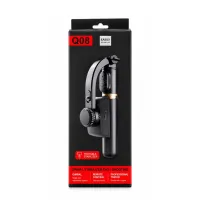
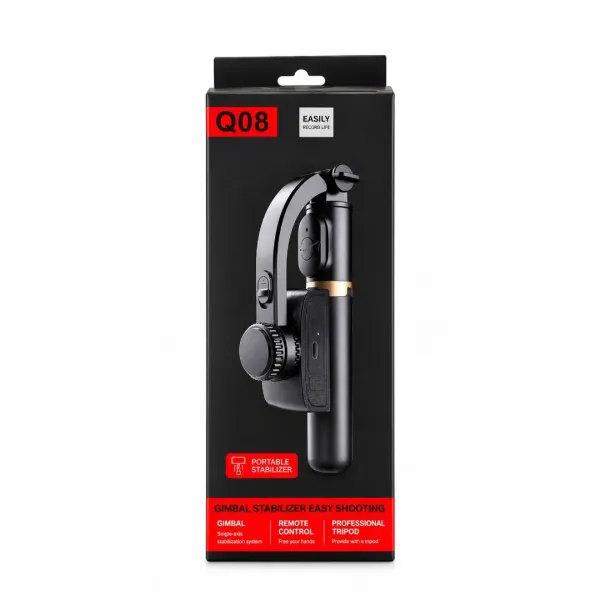
It is a motorised phone gimbal with two extras built into the body, sometimes listed as a 3-in-1 gimbal or a Bluetooth selfie stick gimbal. The stick inside the handle extends for wider shots, and short legs fold out of the base so it stands on its own. The Q08 mobile gimbal with selfie stick is a typical example:
- 1-axis motor that keeps the phone level
- Stick that extends to about 70–75 cm
- Tripod legs built into the base of the handle
- Detachable Bluetooth remote with about 10 m range
- Rotating clamp for portrait and landscape
- About 19 cm folded and about 250 g
Mode 1: handheld gimbal
Use this when you are moving. Keep the stick short and hold the handle close to your chest. The motor stops the picture tilting and calms small hand shake.
Best for: walk-and-talk vlogs, travel clips, shop and home tours, weddings and family functions, and product videos where you move around the item.
Mode 2: extendable selfie stick
Extend the stick when you need more people or more background in the frame. The motor keeps working at full length, so the horizon stays level even when your arm is stretched out.
Best for: group selfies, monument and travel photos, and high-angle crowd or event shots. Use the Bluetooth remote as the shutter, so you don't have to reach the screen.
Tip: a long stick shakes more than a short one. Extend only as far as the shot needs.
Mode 3: table tripod for recording videos
Fold out the legs and stand it on a flat surface. This turns it into a portable phone tripod for recording videos without holding anything.
Best for: a small tripod for video calls and online classes, talking-head videos, cooking and unboxing clips, outfit reels and family group photos with the remote.
Because the legs are short, place it on a table, shelf or wall for eye-level framing. For full standing height on the floor, a tall floor tripod works better.
Gimbal vs selfie stick vs tripod
A selfie stick with tripod and remote is cheaper, but it has no motor. Here is how the three compare:
- Plain selfie stick: extends your reach, but has no motor. Moving shots tilt and shake.
- Plain tripod: perfectly still for shots from one spot. Useless when you need to move.
- Gimbal with selfie stick and tripod: steadies moving shots, extends for wide shots and stands on a table. It needs charging and costs more than a basic stick.
If you film in more than one way, the 3-in-1 design saves money and space compared with buying three separate items.
How to switch between modes
- Charge the handle fully through its USB port.
- Clamp the phone in the centre and choose portrait or landscape.
- Press and hold the power button until the green light comes on.
- For selfie stick mode, pull the stick out to the length you need.
- For tripod mode, fold out the legs at the base and set it on a flat surface.
- Pair the remote with your phone's Bluetooth to take photos or start recording from a distance.
Who it suits
A gimbal selfie stick with tripod suits beginners and casual creators who want one tool for vlogs, selfies and hands-free recording. It is also handy for travellers who don't want to pack three gadgets. If you only take selfies and never film while walking, a plain selfie stick tripod is cheaper.
Battery and care
The motor runs on a built-in 450 mAh battery that gives about 2 hours of use per charge, so charge it fully before a long shoot. The remote has its own replaceable CR1632 coin cell. Fold the clamp and legs before putting it in your bag to protect the motor.
At the time of writing the Q08 3-in-1 gimbal costs ₹1,399 with free delivery. See current price and the demo video on the Q08 product page.
Frequently asked questions
Is a gimbal better than a selfie stick?
For moving video, yes. A selfie stick only holds the phone further away, so every tilt and shake of your hand shows in the clip. A gimbal has a motor that keeps the phone level while you move. For still photos and group selfies, a selfie stick is enough. A gimbal with a built-in selfie stick, like the Q08, gives you both in one handle.
Can I use the tripod legs for video calls?
Yes. Open the legs, stand it on a table and turn the clamp to the orientation you need. It is a good fit for video calls, online classes and talking-head recordings.
How long does the selfie stick extend?
The Q08 extends to about 70–75 cm, which fits a small group or more background into the frame.
Does the remote work with both iPhone and Android?
Yes. The remote pairs over Bluetooth like any accessory and works as the camera shutter on Android phones and iPhones.
Products in this guide
More Articles
View all
How to Set Up a Mini Tripod for Mobile: Desk, Pole, Outdoor and Overhead Shots
Gorilla Tripod vs Normal Tripod vs Gimbal: Which One Should You Buy for Your Phone?
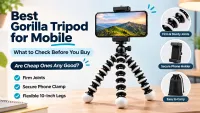
Best Gorilla Tripod for Mobile: What to Check Before You Buy (and Are Cheap Ones Any Good?)