
How to Set Up a Mini Tripod for Mobile: Desk, Pole, Outdoor and Overhead Shots
Step-by-step setup for a gorilla tripod on a desk, around a pole or railing, outdoors on uneven ground, and for overhead table videos, with safety tips.
In this guide
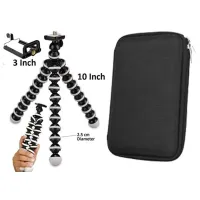
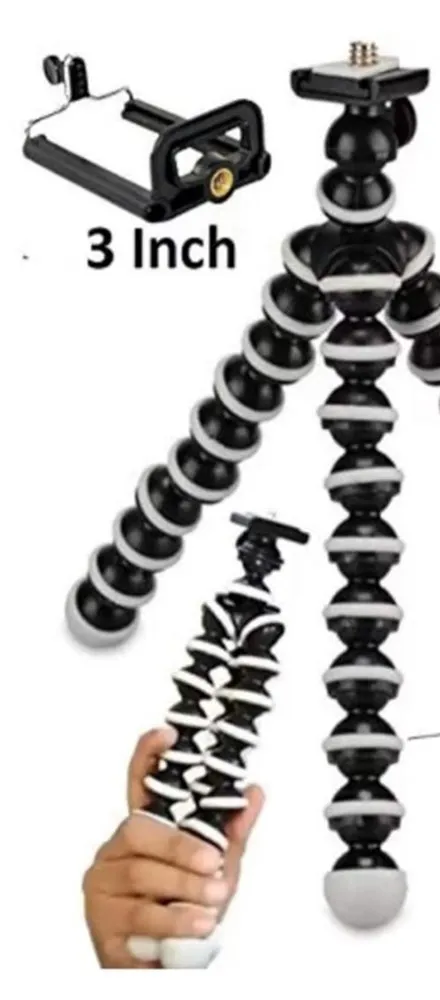 Screw the 3 inch clamp onto the top, then bend or wrap the legs to suit the spot.
A mini tripod takes about a minute to set up once you've done it a few times. The first time, though, most people make the same mistakes. They fit the phone before the legs are steady, wrap the legs halfway round a pole, or point the phone straight down over the table without checking the balance.
This guide shows you how to set up a gorilla tripod for four common situations: a desk, a pole or railing, outdoors, and overhead shots of a table.
About this guide: written by the Jikra team in Delhi. We pick this tripod and ship it from our Samaypur warehouse. Setup steps follow our product listing. Where our listing doesn't give a number, such as a weight limit, we don't make one up.
Before you start
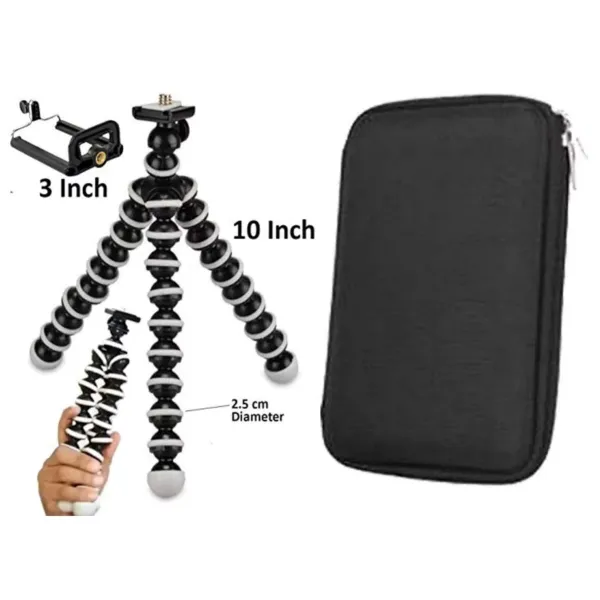
- Check what's in the box. Our gorilla tripod stand comes with the flexible tripod, a 3 inch phone clamp and an organiser bag.
- Take a thick case or pop socket off your phone if the clamp doesn't close properly.
- Choose your spot first. A steady surface or a firm pole matters more than anything else.
Basic setup in five steps
- Screw the phone clamp onto the top. The mobile attachment screws onto the mount at the top of the tripod. Turn it until it's snug.
- Shape the legs. Bend them for the surface you're using: spread wide for a table, or wrapped for a pole.
- Test it empty. Press gently on the top. If it tips or sags, adjust the legs before the phone goes on.
- Fit the phone. Open the clamp, place the phone in the centre, and let it close on the sides. Give it a light tug.
- Frame your shot. Bend the top part of the legs slightly to tilt the phone, rather than forcing the clamp.
For a camera instead of a phone, skip the clamp and screw the camera straight onto the mount. Keep to light cameras. A heavy DSLR with a big lens needs a full-size tripod.
On a desk or table
Spread the three legs wide, like a stool, with the feet flat on the table. This is the most stable setup. If the phone sits too low for a video call or a talking-head video, stand the tripod on a few books so the camera is level with your eyes. A gorilla tripod mobile setup on a desk is ideal for online classes, Zoom or Google Meet calls, and recipe or unboxing videos.
Around a pole, railing or branch
- Pick something firm that won't sway, like a metal railing, a thick branch or a chair back.
- Wrap each leg all the way around, not just halfway. Two legs can wrap and the third can brace against the surface.
- Squeeze the wrapped legs tight with your hand, then let go and check nothing slips.
- Fit the phone last, and keep your hand nearby for the first few seconds.
Never hang a phone over water, a balcony edge or a drop. If the grip slips, the phone falls.
Outdoors
A gorilla tripod is handy outdoors because you don't need flat ground. On rocks, steps or a sloping wall, bend each leg to a different shape until the top sits level. A few outdoor tips:
- Wind: keep the tripod low and the legs wide. A small, light tripod catches wind, so stay close on a breezy day.
- Soft ground: sand and mud let the feet sink. Find a rock or flat stone to stand it on.
- Group photos: set the phone's self-timer, then step back into the frame.
- Travel: it folds into a bag, and the organiser bag in our box keeps your cables and handsfree together.
For bigger outdoor setups, our guide on a tripod stand for travel photography covers more options.
Overhead shots of a table
Overhead videos, like cooking, drawing, unboxing or handwriting, need the phone pointing straight down. A 10 inch mini tripod is short, so the trick is to raise it and hang the phone over the table.
- Find something above or beside the table. A shelf edge, a sturdy cupboard handle, a lamp arm or a horizontal rod work well.
- Wrap two legs tightly around it. Let the third leg point out towards the table, with the clamp on the end.
- Turn the phone to face down. Bend the legs to angle it, then check the frame on screen.
- Test the balance without the phone. Press down on the head. It shouldn't move.
- Put something soft underneath the first few times, like a folded towel, in case it slips.
Because the tripod is small, it covers a smaller area of the table from a low height. For a full desk or a big cooking counter, a tall stand with an arm works better. Our guide on setting up a phone tripod for overhead recording shows that setup.
Looking after it
- Don't bend a single joint back and forth hard. Shape the whole leg gently.
- Wipe off sand and dust after outdoor use, so the joints keep their grip.
- Store it with the legs straight and the clamp unscrewed.
Our gorilla tripod for phone and camera is ₹375 on Jikra (November 2026), with free delivery and a 7-day return. You can read more about everyday uses in our gorilla tripod stand guide.
Frequently asked questions
How to set up a mini tripod for mobile?
Screw the phone clamp onto the mount at the top of the tripod. Bend the legs to suit the surface: spread wide on a table, or wrapped tightly around a pole. Press on the top to test it before adding the phone. Then open the clamp, fit the phone in the centre, give it a light tug, and tilt the legs slightly to frame your shot.
How to shoot overhead videos using a tripod?
Point the phone straight down over the table. With a mini gorilla tripod, wrap two legs tightly around a shelf edge, cupboard handle or rod above or beside the table. Let the third leg hold the phone out over the table. Test the balance without the phone first and put a towel underneath. For a large table, a tall tripod stand with an arm is easier.
Is a gorilla tripod strong enough for outdoor photography?
Yes, for phones and light cameras on rocks, steps, walls, railings and branches. Keep the legs wide and low in wind, use firm surfaces rather than sand or mud, and stay close by on breezy days. It isn't meant for heavy DSLRs with large lenses. Never hang it over water or a drop.
Can I use a mini tripod for video calls?
Yes. Stand it on your desk with the legs spread wide, and raise it on a few books so the phone camera is at eye level. That looks more natural than the phone looking up at your chin.
Products in this guide
More Articles
View all
Gorilla Tripod vs Normal Tripod vs Gimbal: Which One Should You Buy for Your Phone?
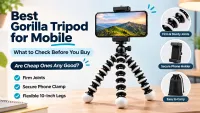
Best Gorilla Tripod for Mobile: What to Check Before You Buy (and Are Cheap Ones Any Good?)
Best Ring Light for Content Creators: A Beginner's Guide for Mobile