
Anti-Shake Gimbal for Mobile: How It Works and What It Fixes
An anti-shake gimbal for mobile keeps your phone level with a small motor and sensor. Here is how it works, what it fixes, what it can't, and how to get smoother video.
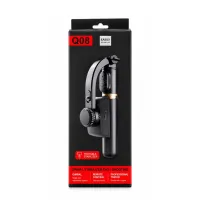
Shaky phone video is rarely the phone's fault. Every small movement of your wrist, every step and every change of grip shows up in the clip. An anti-shake gimbal for mobile is a handheld holder with a motor that pushes back against part of that movement, so the picture stays level. This guide explains how it works in plain words, what it fixes, what it can't fix, and how to get the steadiest result from one. If you are looking for a simple phone stabilizer for video, this is the place to start.
What an anti-shake gimbal for mobile is
A gimbal is a phone clamp mounted on a small motor. The handle holds a motion sensor, a control board and a rechargeable battery. When the sensor feels the phone start to tilt, the board tells the motor to turn the other way by the same amount. The phone stays where it was, even though your hand moved.
Shops and listings use several names for the same product: gimbal, stabilizer, mobile stabilizer and anti-shake selfie stick. The part that separates a real gimbal from an ordinary selfie stick is the motor. If a product has no motor and no battery, it holds the phone but does nothing to steady it.
How the sensor and motor work together
The sensor inside the handle is the same kind of chip your phone uses to know when you turn it sideways. It checks the phone's angle many times every second and the gimbal runs a simple loop:
- You switch the gimbal on and it treats the phone's starting position as "level".
- Your hand tilts slightly to one side.
- The sensor notices the change straight away.
- The motor turns the clamp back by the same amount.
- The picture stays level, and the loop starts again.
All of this happens inside the handle. The gimbal does not need to talk to your phone, so you record in your normal camera app and the stabilisation still works.
What a 1-axis gimbal fixes
Most budget smartphone gimbals are 1-axis models. An "axis" is one direction of movement the motor can correct. A 1-axis gimbal, such as the Q08 mini gimbal, corrects roll: the picture leaning left and right. That is the movement viewers notice first, because a tilted horizon makes a clip look careless. In practice a 1-axis motor helps with:
- Leaning horizons when you walk and talk, or hold the phone at arm's length.
- Small hand shake that makes the frame tremble when you stand still.
- The jolt when you switch hands or adjust your grip in the middle of a shot.
What an anti-shake gimbal can't fix
It helps to know the limits before you buy, so you are not disappointed with the first clip.
- Walking bounce. The up-and-down movement of each step is mostly in a direction a 1-axis motor does not correct. Your walking technique matters more here than any gear.
- Very fast turns. If you swing the phone quickly, the motor can't keep up and the frame will jerk.
- Blur in low light. Blur comes from a slow shutter in dim rooms, not from shake the gimbal can see. More light fixes it.
- Running and sports. For fast action, a 3-axis gimbal or an action camera is the right tool.
How to get the smoothest video from your gimbal
- Mount the phone before you switch on. Clamp it in the centre so the motor starts balanced.
- Take off a heavy case or ring grip. Extra weight on one side makes the phone lean.
- Keep your phone's own stabilisation on. The phone's built-in stabilisation and the gimbal work well together.
- Hold the handle close to your body. Arms stretched out shake more than arms tucked in.
- Walk heel to toe with soft knees. This cuts the bounce that no 1-axis motor removes.
- Turn slowly. Give the motor time to follow you.
- Shoot in good light. Daylight or a bright room keeps every frame sharp.
Who should buy one
An anti-shake gimbal for mobile is worth it if you film while you move. It works well as a gimbal for vlogging and as a stabilizer for smooth video in everyday situations: walk-and-talk vlogs, travel clips, family functions, shop walk-throughs and product videos. If you only film from one spot, a tripod is cheaper and steadier. If you mostly take selfies and group photos, a selfie stick tripod does the job.
The Q08 at a glance
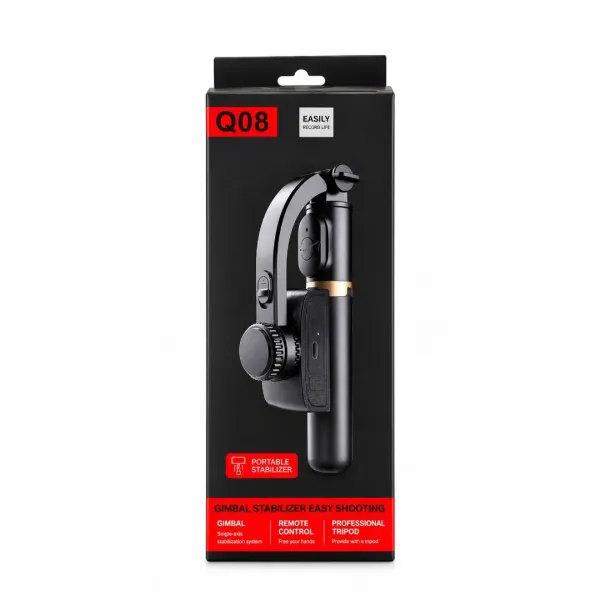
The Q08 1-axis stabilizer combines a gimbal, an extendable selfie stick and a table tripod in one handle. The key details:
- 1-axis motor that keeps the phone level (roll correction)
- Built-in 450 mAh battery, about 2 hours of use per charge, charged by USB
- Detachable Bluetooth remote with a range of about 10 m (CR1632 coin cell)
- Fits phones 60–95 mm wide, Android and iPhone
- About 19 cm folded, about 70–75 cm extended, about 250 g
- No app needed
At the time of writing it costs ₹1,399 with free delivery and 7-day returns. You can see the side-by-side handheld vs gimbal test video on the Q08 gimbal product page.
Frequently asked questions
What is a mobile gimbal stabilizer?
A mobile gimbal stabilizer is a handheld phone holder with a motor, a motion sensor and a battery in the handle. When your hand tilts or shakes, the motor turns the phone the opposite way so the picture stays level. It is different from a plain selfie stick, which only holds the phone further away and does nothing to steady it.
How does a smartphone gimbal work?
A sensor in the handle measures the phone's angle many times a second. When it detects a tilt, the control board drives the motor to turn the clamp back by the same amount. This loop runs continuously while the gimbal is on, so the phone stays level as you move. Everything happens inside the gimbal, so it works with your normal camera app.
Can a gimbal make videos less shaky?
Yes. A gimbal removes the tilt and makes small hand shake much less visible. It does not make walking video perfectly smooth, because a 1-axis gimbal does not correct the up-and-down bounce of each step. For the best result, keep the gimbal close to your body, walk slowly with soft knees and leave your phone's own stabilisation switched on.
Does an anti-shake gimbal need charging?
Yes. The motor runs on a battery in the handle. The Q08 has a built-in 450 mAh battery that gives about 2 hours of use and charges through a USB port on the handle. Charge it fully before your first shoot.
Products in this guide
More Articles
View all
How to Set Up a Mini Tripod for Mobile: Desk, Pole, Outdoor and Overhead Shots

Gorilla Tripod vs Normal Tripod vs Gimbal: Which One Should You Buy for Your Phone?

Best Gorilla Tripod for Mobile: What to Check Before You Buy (and Are Cheap Ones Any Good?)