How to Choose the Right Mobile Data Cable for Your Device
Choosing the right mobile data cable helps ensure efficient charging and reliable data transfer. Learn about cable types, device compatibility, charging speed, and durability to find the best option for your needs.
In this guide
The type of cable you select for your mobile phone can certainly make a difference in ease of charging, dependability in data transfer, and normal use. There are various types of connectors, charging rates and cable lengths to choose from and sometimes it can be confusing to find the right one. The best Mobile Data Cable will be compatible with your gadget, meet all of its charging needs, and perform well throughout its everyday usage.
Knowing the key features of a charging and data cable helps you pick the right one for work, entertainment, gaming or staying in touch with friends. In this guide, you'll learn the points to keep in mind when choosing the right cable for your device.
Check Your Smartphone's Charging Port
The first thing you'll need to do is find the charging port of the mobile phone. Each different device will have a different type of connector, so, before buying the cable, you should be sure of the compatibility.
Most of today's Android smartphones have Type-C connectors, and some older Android phones might have Micro-USB connectors. Some also use Lightning connectors on the Apple devices, and the newer ones have USB-C.
Prior to purchase of a cable, ensure you know the proper cable type by referring to your phone's specifications or the original charging accessories. A suitable Mobile Data Cable will ensure a secure connection and hassle-free daily charging.
Understand Different Types of Mobile Cables
There are several types of mobile cables, depending on the devices and charging needs.
Mobile Cable
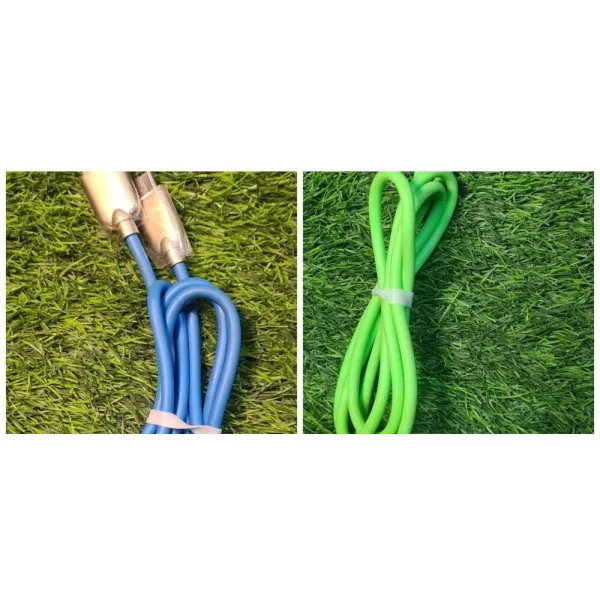
Mobile cable is a popular accessory for charging smartphones from power adapters, computers, power banks and other compatible devices. It can be used for charging or data transfer or both, depending on its design.
There are a number of factors you should take into consideration when selecting a cable, such as the type of connector, the quality of the material, the length of the cable, and the supported charging speed. These can affect your ease of use with the cable at home, work or travel.
Type C Data Cable
A type c data cable is suitable for devices with the USB Type-C port. Plugging in the cable is easy as it is reversible.
This cable is capable of charging and file transferring between compatible devices based on the specifications. It's a viable choice for those who use contemporary smartphones, tablets, and different other USB-C electronics.
Check Charging Speed and Power Support
Another important aspect to consider when choosing a cable is the charging speed. Various smartphones use different charging methods and not all cables offer the same charging capabilities.
Find a cable that will provide the power that you and your phone/charging adapter need. If your device does not have enough power support, you might not achieve the charging speed your device supports.
A usb type c fast charging cable can be a fitting solution for compatible devices with usb-c fast charging capabilities. But real world charging speed also relies on the phone, the charging cable, the charging protocol and the adapter.
When buying, verify with the manufacturer's details that the cable will meet your device's charging needs.
Choose the Right Type C to Type C Cable
A USB-C-to-C cable might be the right solution if both your smartphone and power adapter support USB-C.
Type c to type c cable links two compatible USB-C ports and might assist demand and knowledge move, relying on the cable specifications. It is often used on newer smartphones, tablets, computers, and USB-C power adapters.
Purchasing this cable, make sure that it is capable of the power that you require and the data transfer rate. There are some cables which are used chiefly to charge the battery, and there are others that have data transfer features as well.
When selecting a cable, it is important to choose one that is compatible with both the device and the adapter, ensuring that you get the desired functionality without spending extra money on accessories.
Consider Cable Length and Everyday Convenience
The length of the cable can influence the ease with which you can use your phone while it is plugged in. A short cable could be helpful on the way and a longer cable when the power outlet is not as near to your work area or even your bed.
These are some of the factors to consider before deciding:
- Short cables: Ideal for power banks, travel bags and small setups.
- Medium length cables: Useful for routine use at desk and bedside tables.
- Long cables: When the power outlet is further away, then it's useful to have long cables.
Pick one that fits your schedule and doesn't get in your way. Additionally, do not pull the cable too tightly because it can over time lead to damage of the connector or internal wires.
Look for Durable Materials and Strong Connectors
If you drop your phone in and out of the cable regularly, then its durability is crucial. Poor materials and poor connector joints can cause fraying, poor connections or irregular charges.
If there are any alternatives, check for flex insulation, robust connectors and strengthened joints at either end. A well-made Data Cable mobile charger might be more convenient to use on a regular basis because it is engineered to withstand regular bending and handling.
It's also important to not fold the cable too deeply or wrap it too tightly around your charger. Keep it in a bag or drawer and keep it loose to help preserve its condition.
Check Compatibility With Fast-Charging Adapters
Other phones have a proprietary or protocol-based fast-charging system. So, if you purchase a fast charging cable, it doesn't necessarily mean that it is the fastest charging cable in the world.
You are supposed to use a type c fast charging cable that fits the charging protocol of your smartphone as well as the power adapter.
A type c to type c cable, for instance, might work for a USB-C phone as well as USB-C adapter. Check the rated power of the cable and manufacturer's compatibility information.
Choosing the right accessories can help you to prevent unnecessary charging restrictions and simplify your charging process.
Consider Data Transfer Requirements
If you have to transfer photos, videos, documents or other files frequently between phone and computer, look at the cable's data transfer capabilities.
Some cables are capable of charging but have limited data capabilities, and others are capable of faster data transfers. This speed is actually based on the cable standard and device attached.
The right cable makes it easier to back up important files, to transfer media and to connect suitable accessories. If you are interested in using the cable for any other purpose besides charging, be sure to check for data transfer capabilities before you buy.
Compare Price and Specifications
While the cost is important, it's not necessarily the best way to pick a cable. Check the product specifications, the quality of the connectors, the supported power output and data transfer speed.
The best Mobile Data Cable should be able to satisfy the requirements of your device and provide useful features for routine use. Avoid cables with vague specifications or unclear fast-charging claims.
When you read the product descriptions you can get an idea of what the cable does and if it will be able to handle your phone.
Choosing a Mobile Data Cable
Knowing the type of connector, charging requirements, cable length, and data transfer requirements make the right cable choice easier. Whether it's a standard mobile cable or a USB-C fast charging option, it depends on your smartphone and usage.
When buying a Mobile Data Cable, ensure that the product you have in mind is compatible with your phone and adapter, that it supports the desired power rating, and that it is constructed in a durable manner for easy use. These features can be used to make an informed decision while choosing an appropriate cable for charging, connectivity, and everyday use.